Your next stop in Leonida.
Search the map, save personal pins and keep your own exploration checklist. PointVI is an unofficial companion for GTA 6, built for iPhone.
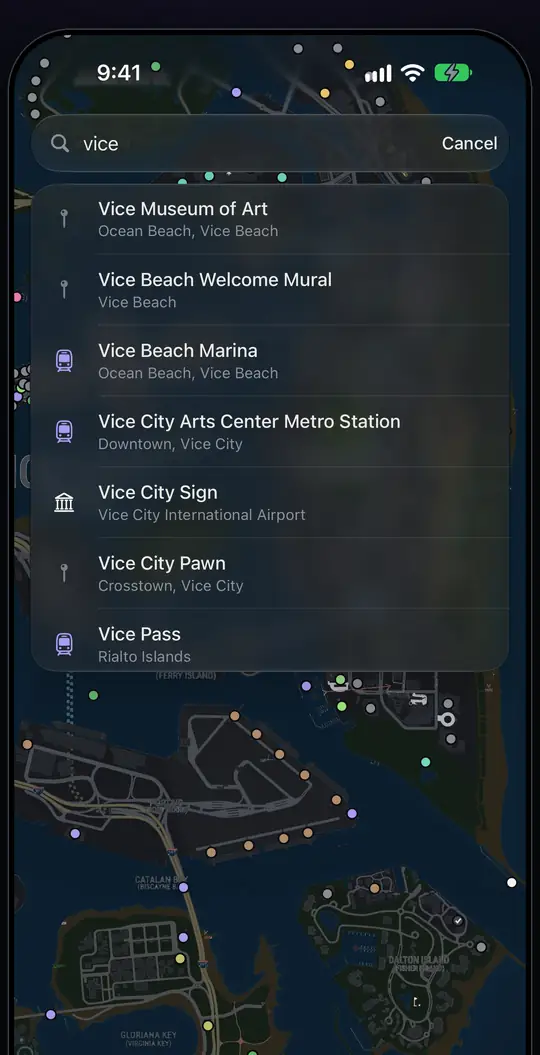
Find
Find a place in seconds.
Search by name, even with a typo, and filter the map down to the places you want to see.
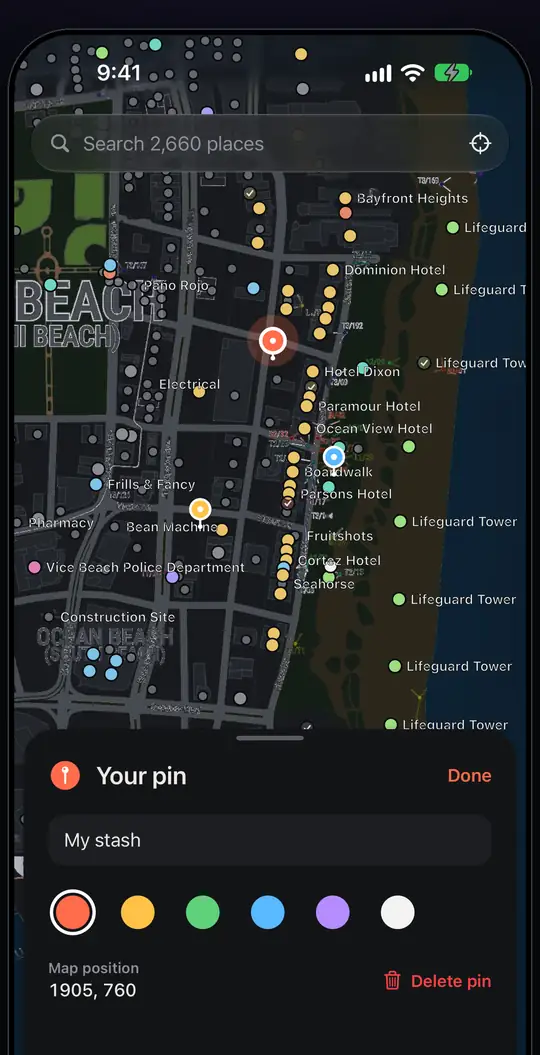
Pin
Make the map yours.
Drop personal pins and attach a note to every spot you want to come back to.
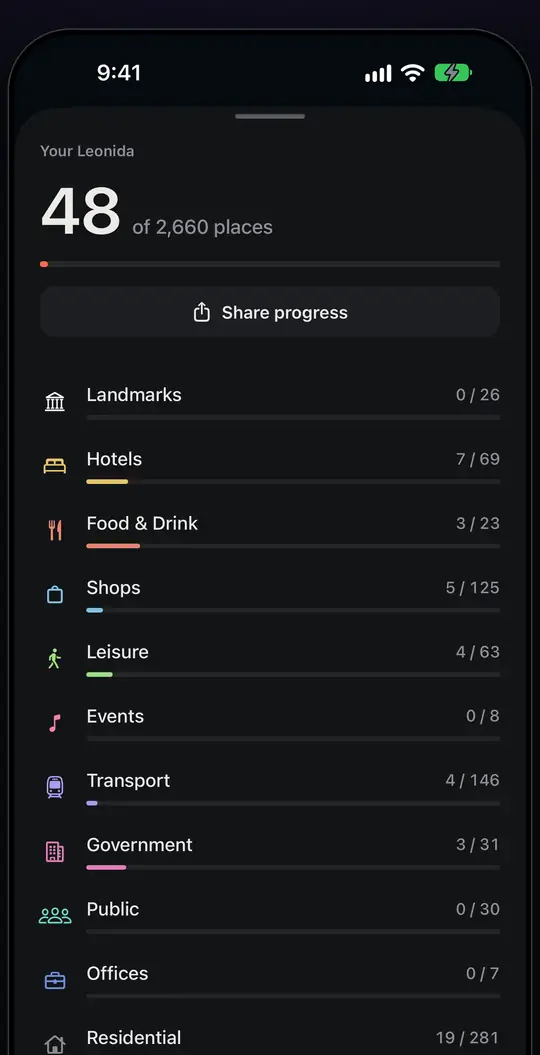
Track
See your progress by category.
Mark places as explored yourself and watch the bars fill. The app never touches your game save.
Widgets
Your count on the Home Screen.
Progress and the launch countdown as widgets, so you see them without opening the app. Illustration, not a screenshot.
The map
Places by category.
Each dot behind this text is a place on the PointVI map. Counts below come straight from the data the web map loads.
Your 100 %
How your 100 % works.
There is no tracking of your game. You are the save file.
Pick a place
Search the map or tap a dot.
See what is there
The card shows the area and the real-life spot behind it.
Mark it explored
One tap, whenever you visit it in the game.
Watch the bar fill
Progress per category, and in total.
Web to phone
Move your progress to the iPhone.
Started on the web map? Take your explored places with you. No account, no server.
Mark places on the web map
Your checklist is stored in your browser.
Open Progress, tap Send to iPhone
The map makes a code and a QR from your explored places.
Example code, not yours.
Scan it in the app
The app merges the places into your list. It only adds, it never removes.
No account needed. On the web, your checklist stays in this browser. In the iPhone app it stays on your iPhone, and Pro or Max also sync it to your other Apple devices through iCloud.
Areas
Browse by area.
Guides
FAQ
Questions.
Does PointVI track my game automatically?
No. You mark places as explored yourself. PointVI does not connect to your game save.
Is this an official GTA app?
No. PointVI is an unofficial fan-made companion and is not affiliated with or endorsed by Rockstar Games or Take-Two Interactive.
What is free in the iPhone app?
Map exploration, up to 75 explored places and three personal pins. No account.
Do I need an account?
No. On the web map your checklist is saved in this browser only. In the iPhone app it is saved on your iPhone; with Pro or Max it also syncs to your other Apple devices through iCloud. Free does not sync.
Is there an Android app?
A native Android app is not part of the initial release. The web map works in any browser.